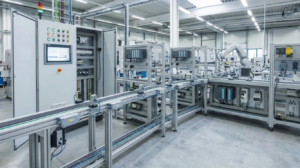

Preventing PLC Overheating: Expert Strategies for Industrial Control System Stability
When a PLC CPU triggers a thermal alarm, many operators react by simply opening the cabinet door. However, this temporary workaround introduces significant risks, including dust accumulation, humidity, and electromagnetic interference (EMC). Real industrial value lies in diagnosing the root causes of heat to protect long-term system integrity. In mission-critical sectors like chemical processing and pharmaceuticals, an unexpected thermal shutdown can jeopardize batch quality and worker safety.

Understanding Ambient Temperature Limits and Component Aging
Most standard PLC CPUs specify an operating range between 0 and 60°C. Nevertheless, internal cabinet temperatures often run 10 to 20°C higher than the factory floor due to heat from power supplies and drives. Operating near these upper limits accelerates the degradation of electrolytic capacitors, effectively shortening the hardware’s lifespan. Therefore, selecting a controller with extended temperature ratings or implementing derating strategies is essential for high-ambient environments.
Analyzing Heat Dissipation and Processor Power Consumption
High-performance CPUs generate more heat because they manage complex communication tasks like EtherNet/IP or Profinet. Instead of looking only at clock speeds, engineers should evaluate the “Watt Loss” or total heat dissipation specs. Poor airflow within a cabinet often leads to “thermal stacking,” where hot air gathers at the top and overheats the most sensitive modules. Consequently, calculating the total heat load is a prerequisite for any reliable industrial automation design.
Choosing Between Natural Convection and Forced Cooling Systems
Passive cooling is rarely sufficient for densely packed, sealed industrial enclosures. While fans and filters provide a cost-effective solution, they may introduce contaminants in dusty environments like cement plants. In such cases, heat exchangers or closed-loop air conditioners are superior alternatives. A robust cooling strategy must balance thermal efficiency with the required Ingress Protection (IP) rating to ensure the hardware remains clean and dry.
Practical Field Tips for Cabinet Thermal Management
- ✅ Vertical Spacing: Maintain at least 50mm of clearance around the PLC to allow for natural rising airflow.
- ⚙️ Component Placement: Install heat-generating devices like VFDs at the bottom and sensitive PLCs in the middle sections.
- 🔧 Cable Management: Ensure thick wiring bundles do not block the air path between intake fans and exhaust vents.
- 📊 Active Monitoring: Use the CPU’s internal diagnostic registers to track temperature trends before an alarm occurs.
Addressing Communication Overhead and Firmware Efficiency
In many troubleshooting cases, overheating results from high CPU load rather than external heat. Frequent polling from SCADA or MES systems can push a CPU to its limit. Moreover, outdated firmware might lack optimized thermal management routines. By streamlining program loops and upgrading to the latest firmware versions, you can often reduce the internal operating temperature of the processor without hardware changes.
PLC Pioneer’s Expert Commentary
“In my 15 years of field experience, the ‘open door’ policy is the most common mistake in factory maintenance. It’s a symptom of poor planning. Modern industrial automation demands a proactive approach—treating heat as a manageable variable rather than an unavoidable nuisance. If your CPU load is consistently above 80%, you aren’t just processing data; you’re building a heater inside your cabinet.” — PLC Pioneer
Frequently Asked Questions
Q: My CPU feels hot to the touch, but there is no alarm. Should I worry?
Industrial CPUs are designed to operate at temperatures that feel hot to humans. However, if the surface temperature consistently exceeds 50°C, check your internal diagnostics. Long-term heat exposure is a silent killer of circuit boards even if it doesn’t trigger a shutdown.
Q: Can I mix different brands of I/O modules to reduce heat?
While mixing brands is possible via protocols like Modbus, it doesn’t necessarily reduce heat. It is more effective to use “High-Density” modules that are specifically rated for low power consumption to minimize the total thermal footprint of the rack.
Q: Does mounting the PLC horizontally instead of vertically affect heat?
Yes, significantly. Most PLCs are designed for vertical mounting to take advantage of natural convection. Horizontal mounting often traps heat within the module housing, which may require you to derate the maximum operating temperature by 10-15°C.
Application Scenario: Chemical Plant Stability
A chemical plant experienced frequent PLC resets during summer months. Investigations revealed that the cabinet was placed near a steam pipe, and the internal cooling fans were clogged. By relocating the cabinet and installing a heat exchanger, the plant eliminated “nuisance trips,” saving an estimated $20,000 per year in lost production time.
For more technical insights on hardware architecture and system integration, or to source high-reliability industrial components, visit our resource center.
Explore our full range of automation solutions: PLC Pioneer Limited