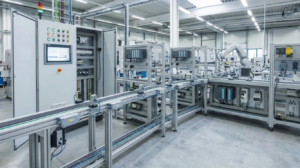
Streamlining Production with Remote HMI Screen Updates
The Value of Decoupling Visualization from Control Logic
Remote HMI updates allow engineers to improve user interfaces without modifying the underlying PLC program. This separation is vital for regulated industries like pharmaceuticals and food processing. By avoiding changes to the core control logic, plants can bypass complex system requalification. Consequently, operational teams gain the flexibility to optimize alarms or add languages during live production. At PLC Pioneer, we see this as a game-changer for maintaining 24/7 uptime in modern facilities.
Leveraging Modern Remote Access Protocols
Current HMI hardware utilizes VNC, HTML5 web servers, and proprietary remote engineering tools to facilitate updates. A built-in web server enables engineers to upload new graphics remotely via a simple browser. This eliminates the need for bulky engineering laptops and physical onsite presence. However, older legacy systems often require specific VPN tunnels and vendor software. Therefore, choosing hardware with open protocol support significantly simplifies long-term maintenance in any factory automation environment.
Understanding Runtime and Configuration Separation
Modern industrial control systems separate runtime execution from the visualization configuration files. This architecture allows for “incremental downloads” or online editing features. In practice, only the modified UI layers transfer to the device. The HMI continues its critical communication with the PLC throughout the process. In contrast, legacy panels may require a full reboot after an update. For continuous chemical processes, such interruptions are unacceptable and pose significant operational risks.
Maintaining Network Stability in Harsh Environments
Remote updates depend heavily on the stability of the local Ethernet infrastructure. Industrial environments often suffer from high electromagnetic interference (EMI) and latency. Packet loss during a firmware or project upload can corrupt files and freeze the HMI unit. Therefore, I recommend using managed industrial switches and VLAN isolation to protect data integrity. Reliable networking ensures that remote commands reach the HMI without causing a system-wide communication failure.
The Critical Role of Staging and Simulation
I always advise against pushing screen updates directly to a live production environment. Even a minor tag mapping error can cause the HMI runtime to crash or display incorrect data. Engineers should first validate the update on a spare unit or through PC-based simulation software. Testing ensures that all alarm triggers, scripts, and navigation buttons function as intended. This “safety first” approach is a hallmark of experienced professionals in the industrial automation sector.
Securing Remote Access via Industrial VPNs
The convenience of remote HMI access introduces potential cybersecurity vulnerabilities. Never expose an HMI web server directly to a public IP address. Instead, implement an industrial VPN gateway with role-based access control. Moreover, many field issues arise from default passwords left unchanged on the factory floor. Strengthening security protocols prevents unauthorized access and protects sensitive process data from external threats or internal accidental changes.
PLC Pioneer’s Insight on Hardware Longevity
At PLC Pioneer, we believe that the HMI is the “window” into your process. While the PLC provides the “brain,” the HMI dictates how effectively operators can respond to anomalies. As high-speed networking becomes standard, the ability to perform remote maintenance will define the next generation of industrial control systems. Investing in panels with robust remote capabilities today prevents costly retrofits in the future when remote support becomes a logistical necessity.
Technical Implementation & Best Practices
- ✅ Incremental Download: Use models that support updating individual screens without a full system reboot.
- ✅ UPS Protection: Always power your HMI via a UPS to prevent corruption during data transfers.
- ✅ Version Control: Maintain a backup of the previous HMI project before initiating any remote upload.
- ✅ Hardware Simulation: Verify tag addresses in a virtual environment to ensure zero communication errors.
Application Scenario: Pharmaceutical Batching
In a validated pharmaceutical environment, the PLC logic is “frozen” to comply with strict regulations. However, operators might require an additional dashboard for better visibility of secondary parameters. By using remote HMI update techniques, the engineering team can deploy the new dashboard via a secure VPN. This improvement enhances operator efficiency without triggering a full, multi-week system requalification process.
Industrial Automation FAQ
1. Does every modern HMI support updates without stopping the runtime?
Not necessarily. While many high-end models from brands like Siemens, Rockwell, or Pro-face support this, some budget-friendly panels still require a full project download. Always verify the “online change” or “incremental download” feature in the manufacturer’s technical manual before purchase.
2. What happens if the network disconnects halfway through a remote update?
In most cases, the HMI will retain the previous working version. However, some older models might become “bricked” or unbootable if the transfer is interrupted. This is why using a stable, industrial-grade network connection and checking for “auto-recovery” features is essential for remote maintenance.
3. Is it possible to update an HMI remotely if it is on a different subnet than the PLC?
Yes, provided that your routing and VPN permissions allow traffic between the subnets. Modern DCS and PLC architectures often segment the “Plant Bus” from the “Terminal Bus” for security. You must ensure the engineering station has the correct gateway settings to reach the HMI hardware.
Ready to upgrade your control system visualization? Visit PLC Pioneer Limited to find the latest HMI and PLC modules that support advanced remote maintenance features.