Managing SCADA Historian Capacity: Protecting Industrial Data Integrity and Performance
When a SCADA historical database reaches its limit, the system rarely crashes instantly. However, the underlying risks include severe data loss and degraded system stability. In high-stakes industries like oil, gas, and pharmaceuticals, uninterrupted logging is vital for regulatory compliance and audit trails. A poorly managed historian silently compromises production visibility long before an alarm sounds.
Understanding Data Retention and Storage Risks
A full database behaves differently depending on your specific configuration. Some systems enable a circular buffer, where new data automatically overwrites the oldest records. While this maintains operation, it deletes historical evidence. Conversely, disabling “overwrite” causes data logging to stop entirely. For environments governed by FDA 21 CFR Part 11, this failure can halt production or lead to non-compliance penalties.
The Impact of Storage Pressure on System Latency
As storage approaches 90% capacity, the database engine struggles with indexing and query execution. This creates noticeable write latency and delays in real-time logging. Operators often experience lagging HMI trend screens, which they may mistake for network congestion. At PLC Pioneer, we have observed that Honeywell Experion systems often show a several-second delay once the historian partition nears exhaustion.
Diverse Database Engine Behaviors in Control Systems
Different SCADA platforms, such as Wonderware, WinCC, or Experion PKS, handle storage bottlenecks uniquely. Some generate system-level alarms while continuing basic functions. Others may silently stop historian services or trigger watchdog resets. While the core SCADA often remains active, dependent services like reporting and OPC servers frequently fail. This creates cascading issues across the factory automation network.
Implementing Tiered Storage for Long-Term Reliability
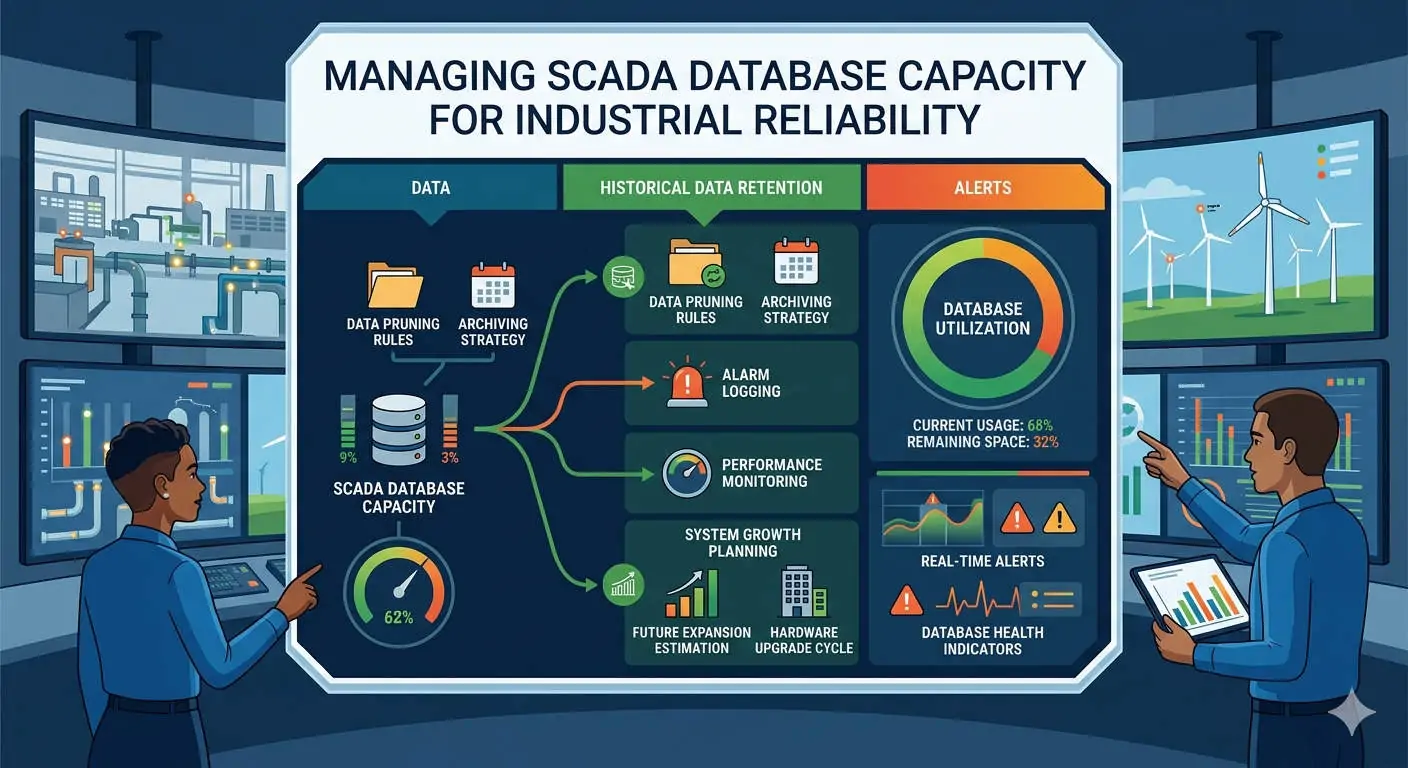
Relying on a single local disk is a high-risk strategy for modern industrial plants. We recommend a tiered storage architecture to optimize performance. Use high-speed SSDs for “Hot” real-time data and offload older records to NAS or cloud archives. In a recent refinery project, implementing an automated archive scheduler reduced local disk usage by 60% and eliminated performance-related alarms.
Proactive Monitoring Beyond Standard System Alarms
Generic system alarms often trigger too late to prevent data gaps. Engineers should configure multi-stage alerts at 70%, 80%, and 90% capacity levels. Integrating these alerts with maintenance notification systems ensures early intervention. Many onsite failures occur because operators only see the “Disk Full” warning after the overwriting process has already started.
Critical Hardware Configuration: Segmenting OS and Data
Never install the historian database on the same partition as the Operating System (OS). If the database fills a shared drive, the entire OS may hang or crash. Separating these partitions ensures that core SCADA services remain operational even if storage fails. Older Honeywell deployments frequently suffered from total server freezes due to this lack of disk segmentation.
Historian Maintenance Checklist & Best Practices
- ✅ Partition Separation: Always host your SQL or Historian files on a dedicated logical or physical drive.
- ⚙️ Automated Archiving: Set up a “Roll-off” policy to move data to secondary storage every 30 to 90 days.
- 🔧 Health Checks: Regularly rebuild database indexes to maintain fast HMI trend loading times.
- 📊 Redundancy: Deploy redundant historian servers to prevent data gaps during hardware maintenance.
Expert Commentary by PLC Pioneer
“In my professional view, data is the lifeblood of the modern digital twin. Many teams focus on PLC logic but neglect the historian’s ‘health.’ In 2026, as we move toward AI-driven analytics, a single gap in your historical data can render predictive maintenance models useless. Treat your storage architecture with the same rigor as your control logic.” — PLC Pioneer
Frequently Asked Questions
Q: Does a full historian disk directly cause a PLC to stop controlling?
No, the PLC executes local logic independently. However, the operator loses the ability to see trends or adjust setpoints if the SCADA HMI freezes due to disk I/O bottlenecks. Control continues, but “blind” operation increases safety risks.
Q: How can I improve trend loading speed without deleting data?
You should implement a tiered historian approach. Moving older data to a “Warm” storage layer reduces the primary database size, allowing the SCADA engine to index current records much faster.
Q: Is SQL-based storage better than proprietary historian files?
Standard SQL is excellent for reporting and ERP integration. However, proprietary “Time-Series” historians are often more efficient for high-speed logging and require significantly less disk space for the same amount of data.
Solution Scenario: Pharmaceutical Batch Traceability
A pharmaceutical manufacturer faced “data gaps” during routine quality audits. Investigation revealed the historian was overwriting data every 14 days due to limited space. By expanding to a tiered storage solution and separating the OS partition, they extended on-site data retention to 3 years. This change ensured full compliance with regulatory audit trails and improved system responsiveness by 40%.
If you are experiencing system lag or planning a DCS storage expansion, our technical team provides the hardware and expertise needed to secure your industrial data.
Explore our high-performance automation components and technical resources: PLC Pioneer Limited